
Hoermoles BlueObscure – My Garage Door in a Browser Tab
The sequel to the reverse-engineering dig – porting the Hörmann BlueSecur protocol to Web Bluetooth and shipping an installable, offline, no-app-store PWA that opens my burrow from a browser tab.
Last time I dug the tunnel: I pulled the BlueSecur BLE protocol out of a .NET assembly blob, rebuilt it in Python, and made my garage door move from a terminal. Lovely for a mole with a laptop. Useless for the Molewife standing in the rain.
The CLI was always the scaffolding, not the building. What I actually wanted was the thing at the top of this post: a little app, honestly named Hoermoles BlueObscure, that opens the burrow from a phone – no app store, no cloud account, no 9,99 € per key. So this time I burrowed upward, into the browser.
The Idea: A Door Key That Is Just a Web Page
The whole app is a single static page that talks to the drive over Web Bluetooth – the browser API that lets JavaScript speak GATT directly. No native app, no Play Store review, no server in the loop. You open a URL, it installs to the home screen as a PWA, and after the first load it works fully offline. A door key has no business phoning home, so it doesn't:
You can find it here: Hoermoles BlueObscure App
The stack is deliberately thin, because thin is what you want for something holding a house key:
| Layer | Choice | Why |
|---|---|---|
| Framework | Svelte 5 + TypeScript | Compiles away – the shipped bundle is ~29 kB gzipped |
| Build / PWA | Vite + vite-plugin-pwa (Workbox) | Precached app shell, offline, auto-update |
| Protocol | hoermoles-ble-js | A dependency-free TS port of my protocol.py |
| Crypto | WebCrypto + a little BigInt | HMAC-SHA256 native; RSA hand-rolled (see below) |
| Hosting | GitHub Pages | Static, free, and it never sees your key |
Porting the Protocol Without Letting It Drift
Back in part one I wrote protocol.py with zero BLE or crypto dependencies on purpose – pure byte logic – precisely so the port to another language would be mechanical. That bet paid off. hoermoles-ble-js is the same envelope, the same signed-frame builder, the same notification reassembler, just in TypeScript.
The interesting part isn't the port, it's making sure it can never quietly disagree with the Python original. So the pytest suite exports its test vectors – frames, HMACs, notification payloads, QR parsing, root-key derivation – into a single shared/test-vectors.json, and both test suites run against it. The TS port cannot drift from the reference without CI going red. Same trick for the 60-odd device menu settings: they're generated from Python into shared/menu-tables.json, and CI fails if the committed copy goes stale. 106 tests on the JS side, byte-identical to Python, and no second source of truth to keep in sync by hand.
The One Thing WebCrypto Refuses to Do
Everyday door commands are just HMAC-SHA256, which WebCrypto does natively (and can even keep the key non-extractable – more on that shortly). Pairing is where it got awkward.
Registering a drive needs to RSA-encrypt a 32-byte random key with the drive's public key, using RSAES-PKCS#1 v1.5. WebCrypto flatly does not offer it. It'll do RSA-OAEP encryption and PKCS#1 v1.5 signing, but not the one padding scheme the drive actually wants. So I hand-rolled it, and it's smaller than the sulking deserves:
- Import the public key as OAEP just to borrow the browser's DER parser, then export it as JWK to read out the modulus
nand exponente. No hand-written ASN.1 walker. - Build the type-2 padded block by hand:
0x00 || 0x02 || random-nonzero-padding || 0x00 || message. c = mᵉ mod nvia square-and-multiply onBigInt. Withe = 65537that's all of 17 iterations.
All three steps are unit-tested against generated RSA key pairs, so the sketchy-sounding "wrote my own RSA" is actually the well-behaved part. In principle that lets the app register a drive entirely on its own – point the camera at the QR sticker, done, no CLI involved. In principle, because that's the one path I haven't yet walked against real hardware from the browser – more on that at the end.
Moving the House Key Around Safely
The web app can't read ~/.hoermoles, so credentials travel as a versioned, language-neutral bundle – one spec, implemented identically in bundle.py and bundle.ts. Plaintext form is HMOLES1:<base64url(json)>; the encrypted variant HMOLES1E:… is AES-256-GCM with a PBKDF2 passphrase, both native to WebCrypto and to Python's cryptography.
hoermoles-ble export            # a QR code in the terminal – scan it with the app
hoermoles-ble export --encrypt  # passphrase-protected, for anything that leaves the machine
hoermoles-ble export --out drive.json   # a file to load in the app instead
hoermoles-ble import <file|text|->      # the reverse: a phone-registered drive back to the CLI
That reverse direction is the point: a drive registered on the phone stays usable from the CLI and, later, from Home Assistant.
A root key opens a physical door, so it's treated like one:
- After import it's stored as a non-extractable HMAC
CryptoKeyin IndexedDB. A later XSS gets at most a signing oracle – useless without Bluetooth range to the actual door – never the key bytes themselves. - Re-exporting a credential needs an extractable copy, so that's an explicit opt-in toggle, not the default.
- A
connect-src 'none'CSP means the app has zero network access after load. The exfiltration channel isn't guarded; it's removed. - Plaintext QR export prints a loud warning. Encrypted is the documented default for anything shared.
Where the Browser Draws the Line
I'd be a poor mole if I dug a tunnel and pretended it had no dead ends. Web Bluetooth is genuinely limited, and the honest version of this app says so on its own front page:
- iOS and Firefox are out, full stop. Safari has no Web Bluetooth at all, and Firefox has no plans. This works on Chrome and Edge – Android, Windows, macOS, ChromeOS. On Linux desktop it additionally needs an experimental flag. That's not something an app-store screenshot can fix; it's the platform.
- No advertisement data. Reading the drive's broadcast – gate status, opening percentage – is flag-gated, so the web app has no equivalent of the CLI's
scanoutput. It can command the door but not (yet) watch it. - No remembered device. Persisting a paired drive across app starts is flag-gated too, so you pick it from the browser's Bluetooth chooser once per session. While the PWA stays resident, "impulse" is one tap; after a cold start it's two. The app lights up the one-tap path when the flag is present and degrades quietly when it isn't.
One Drive, One App – Choose Your Camp
One warning before you get any ideas, because it caught even me off guard at first: your drive will not run both apps at once. The BlueSecur reset that lets Hoermoles pair (menu 19/02, from part one) wipes every stored key – including the one your phone's official Hörmann BlueSecur app is holding. After it, the official app is locked out until you pair it again.
So it's genuinely one or the other: Hoermoles BlueObscure or Hörmann BlueSecur, never side by side on the same drive. Switching back means another 19/02 and re-pairing with whichever app you want in charge – and each switch costs the other side its key. Pick your camp before you reset, and keep that QR sticker somewhere safe either way, because you'll need it every time you change your mind.
It Works – and the One Path I Haven't Walked
Time for the honest update, because part two earns a much better ending than I dared write for it.
The gremlin I feared most was the timing window from part one: the drive disconnects roughly 100–150 ms after the first chunk, as if it grants a fixed budget for the whole message rather than a per-packet rate limit. Web Bluetooth serialises every GATT operation through the browser process and is measurably slower than bleak talking to BlueZ directly, so I fully expected a browser client to miss that window and die in the driveway.
It didn't. I loaded a credential exported from the CLI, tapped impulse, and the door moved – first try, no tuning. Everyday commands work beautifully from the phone. And key-sharing works just as cleanly: show the credential as a QR code on one phone, scan it on another, and the second phone opens the door too. Everything I was nervous about simply wasn't a problem.
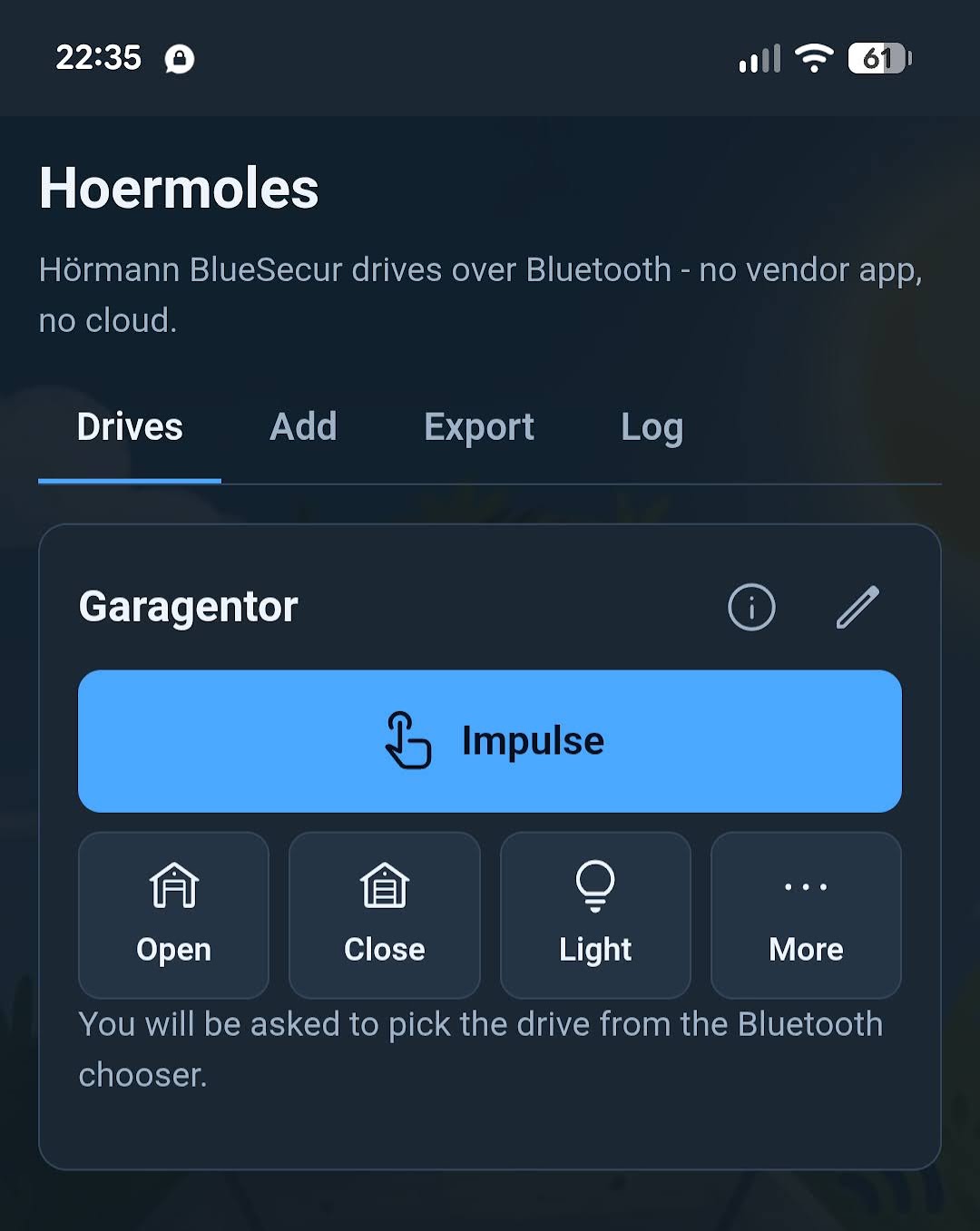
There is exactly one path I haven't exercised through the app itself: the very first handshake, where a fresh drive negotiates a brand-new root key – the RSA-PKCS#1-v1.5 registration from earlier. I did that step with the Python CLI and then handed the finished credential to the app by QR. So the in-app registration code exists, it's unit-tested against generated key pairs, and its bytes match the reference – but it has never actually done the pairing dance with real hardware from inside a browser.
That's the one dark corner of the tunnel still unlit, and it's a nice one for a fellow mole to poke a torch into. If you've got a Hörmann BlueSecur drive, a Chrome or Edge phone, and a drive you're willing to factory-reset (menu 19/02 – see part one), I'd genuinely love to know whether in-app registration works end to end. Everything downstream of it already does.
What's Next: The Burrow Should Open Itself
A phone in the pocket is fine, but a proper burrow doesn't wait to be tapped – it notices you're home and lifts the door itself. That means Home Assistant. The whole point of exporting credentials as a language-neutral bundle was to feed exactly this: a cover entity that signs the same Signed frames from an ESP32 or a Bluetooth-equipped HA host, no phone in the loop at all. There's already a placeholder package waiting for it, and the plan is to ship it as a proper HACS integration so installing it is three clicks, not a custom_components copy job.
So the next dig heads back underground – from the browser tab down into the smart home. If the protocol port taught me anything, it's that the hard part is already behind us; the root key is the same house key wherever it lives. See you in part three.
Code, the protocol port, and the app all live at github.com/the78mole/hoermoles-ble – MIT-licensed. Issues and "it opened my door" reports equally welcome.